


Invoicing & Quoting
Create invoices and quotes with your branding
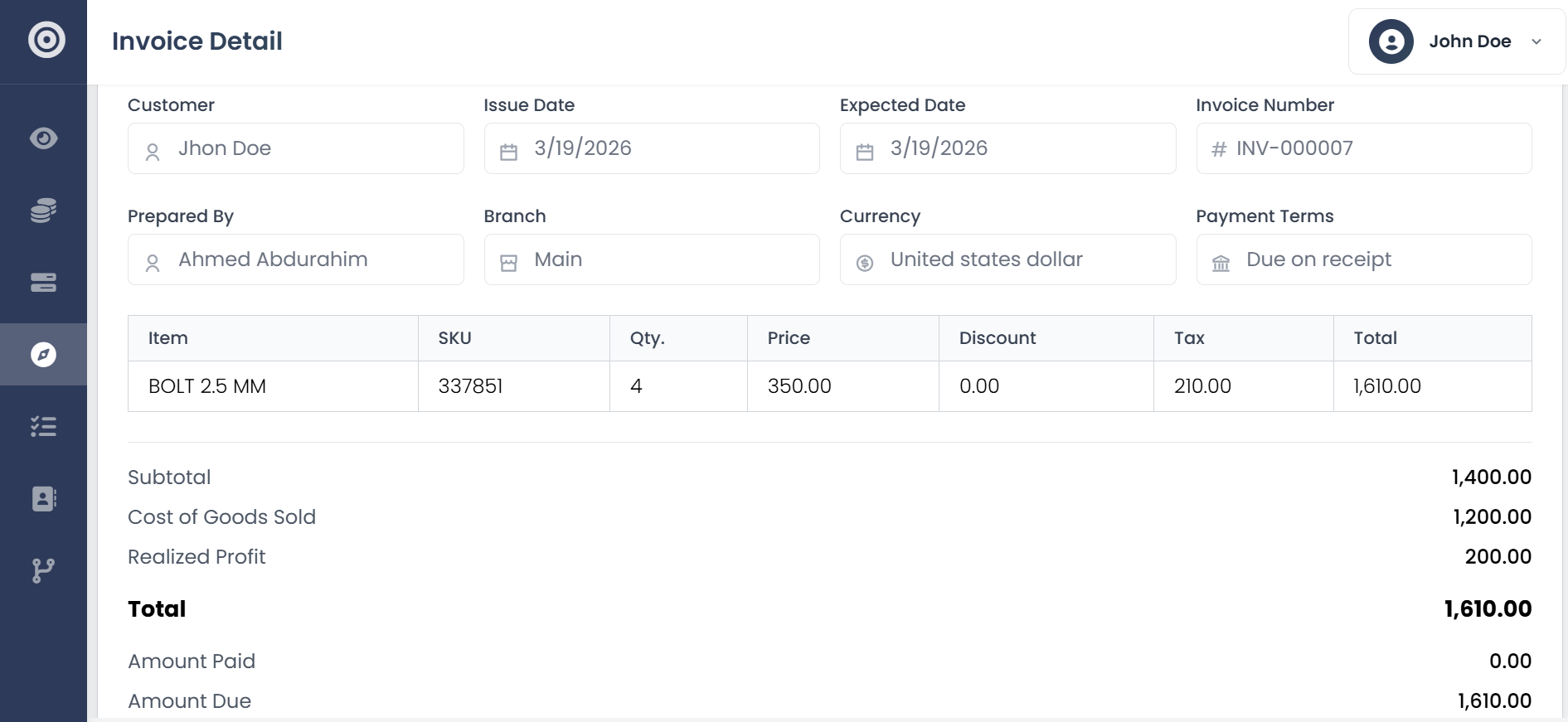
Use customizable templates with your logo, colors, and layout. Add line items, taxes, discounts, and payment terms. When a customer accepts a quote, convert it to an invoice with one click and all the details carry over.
- Customizable branded templates
- Drag-and-drop field arrangement
- One-click quote-to-invoice conversion
- Shareable links with view tracking
- Multi-currency and multi-tax support
Delivery & Tracking
Know the moment a customer opens your invoice
Every invoice and quote gets its own shareable link — no account needed on the customer's end. Obsidyun records the moment it's first viewed, so you know it landed, not just that it was sent.
- Shareable public link per document
- View tracking on invoices and quotes
- One-click quote-to-invoice conversion
- No customer account required
Credit Management
Let customers buy on credit without losing control
Set credit limits per customer and available credit updates in real time as invoices are issued and payments come in. When a customer exceeds their limit, the system prevents new credit sales until balances are settled.
- Per-customer credit limits
- Real-time available credit calculation
- Automatic credit hold on exceeded limits
Payments
Track every payment, in full or in part
Record full and partial payments across multiple payment methods, and outstanding balances update automatically as money comes in.
- Full and partial payment recording
- Multi-method payment tracking
- Automatic balance updates
What changes when billing runs itself
Faster invoicing, fewer forgotten payments, and better cash flow across the board.
Invoices go out in seconds
Pre-filled details and saved templates mean creating and sending takes under a minute.
Your brand stays front and center
Your logo, your colors, your layout. Every document looks like it came from an established firm.
No more manual bookkeeping
Every invoice automatically creates the right journal entries in your accounting ledger.
Bill in any currency with the right tax rates
Multi-currency and multi-tax support built in for businesses that operate across borders.
Frequently asked questions
- How customizable are the invoice fields?
- You can add, remove, and rearrange fields using a drag-and-drop editor. Custom branding, notes, payment terms, and line item descriptions are all supported.
- Can I convert a quote straight to an invoice?
- Yes. Once a customer is ready to buy, post the quote as an invoice directly — the customer, line items, and pricing all carry over.
- How do I know if a customer has seen an invoice?
- Every invoice and quote gets a shareable link your customer opens in their browser, no account needed. Obsidyun records the moment it's first viewed.
- Does it support multiple currencies?
- Yes. Invoice in any currency with the right tax rate applied, which matters if you bill clients across borders.